
Chris Horlacher has repeatedly documented severe system slowdowns occurring in the minutes leading up to privileged calls with legal counsel. On multiple occasions the computer has become effectively unusable, requiring a forced restart.
Two notable artifacts have been preserved.
Incident 1: Mojibake Process Name Blocking Shutdown
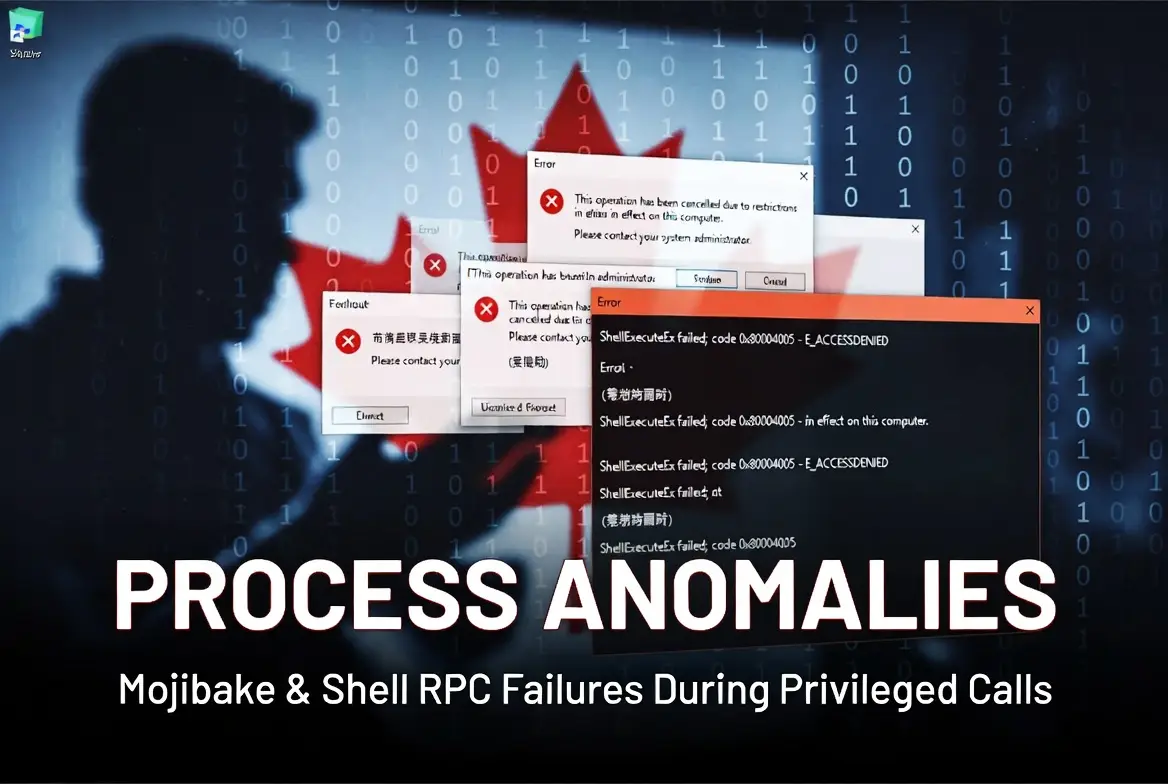
During one incident, on March 31, 2026, Windows displayed a process with the following nonsensical name that was actively preventing the system from restarting:
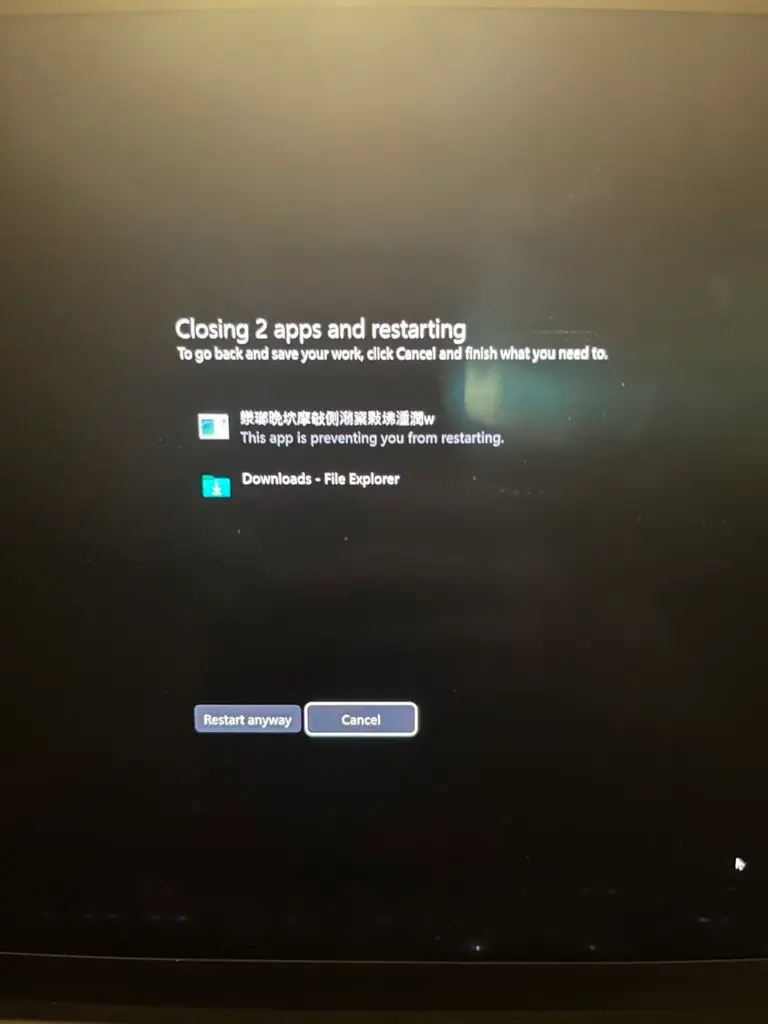
This is not a legitimate application name. It is classic mojibake — garbled text caused by a character encoding mismatch. Windows was attempting to display a process name that was either corrupted in memory, deliberately obfuscated, or passed in a non-Unicode format. Legitimate software almost never produces this type of artifact in a shutdown dialog.
The presence of a process that both carries a malformed name and blocks system restart is particularly noteworthy. It suggests something was actively running and interfering with normal operating system functions at that moment.
Incident 2: Windows File Explorer RPC Failure
In a separate incident, on July 25, 2026, the following error dialog appeared when File Explorer was opened:
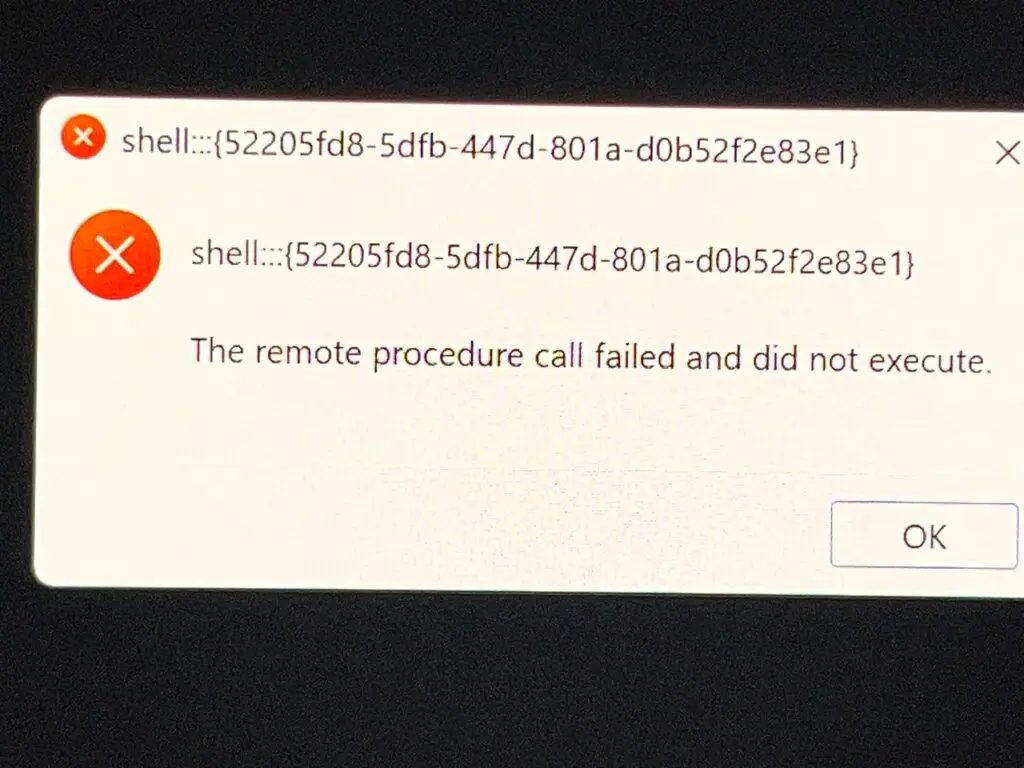
The identifier in the dialog, shell:::{52205fd8-5dfb-447d-801a-d0b52f2e83e1}, is the File Explorer object that the taskbar’s File Explorer shortcut and the Win+E keystroke launch. The message, “The remote procedure call failed and did not execute,” is Windows system error 1727 (RPC_S_CALL_FAILED_DNE). It means the request to open File Explorer was passed to the Explorer process and failed before it ran. Here “remote procedure call” refers to Windows’ internal messaging between processes, not to a connection from another computer. Equibit Group’s position is that File Explorer failing to open, during the same windows of timed system degradation before privileged calls, is another sign that normal operating-system functions on Chris Horlacher’s computer were being interfered with at that moment.
What These Artifacts May Indicate
Taken individually, neither event is conclusive. Taken together — and viewed against the larger pattern of timed system degradation — they are consistent with several possibilities:
- An injected or remote process whose name is being poorly handled by Windows (resulting in mojibake)
- Active interference with File Explorer at the moment it failed to launch (Windows error 1727)
- A process that was running with sufficient privilege or persistence to block a clean shutdown
- Deliberate obfuscation of a process name to hinder quick identification
These types of artifacts are sometimes observed when remote access tools or injected modules are present, particularly when they interact with Explorer or fail to clean up properly under system stress.
The repeated correlation of extreme slowdowns with privileged legal communications remains the most significant contextual factor. Random software failures do not typically align so consistently with sensitive calls.
Connection to Earlier Router Analysis
These endpoint anomalies should be read in light of earlier findings from the independent security analysis of Chris’s routers. In that report, the analyst noted:
Specific devices (Chris’s and his wife’s) lost internet access while others worked, consistent with targeted rules or a Remote Access Trojan (RAT).
The same analysis also flagged “Potential RAT presence and DoS patterns.”
The combination of router-level indicators pointing to possible remote access capability, and later endpoint artifacts (malformed process names blocking shutdown, a failed File Explorer launch, and severe timed slowdowns) forms a consistent technical picture. The repeated alignment of these anomalies with privileged legal communications strengthens the overall pattern of interference.
The record continues to grow.